Quality Management System
Quality you can prove.
From the first test to “fixed in version 2.4”.
QMS keeps your documents, CAPAs, audits, test cycles, defects and customer issues in one system — every change on record, every piece of evidence attached.
Built by SONAN DIGITAL and used every day on our own products.
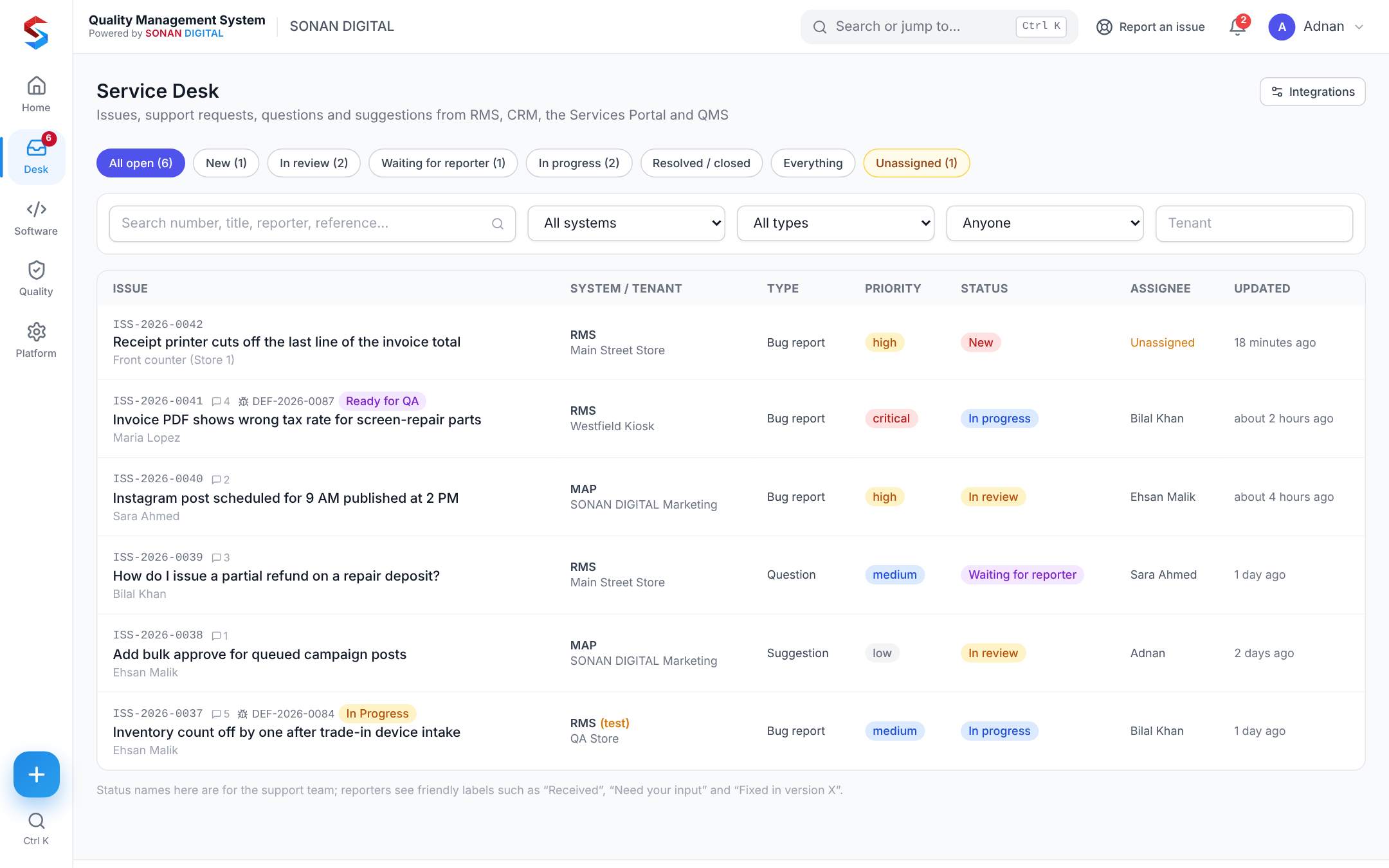
Example records — real screens below.
Three products, one record
Everything quality touches.
Most teams keep these in three tools that never talk. In QMS they are linked from the start.
Quality management
ISO 9001-style documents, NC, CAPA, risk, change, audits, suppliers, calibration, training and objectives.
Quality modulesSoftware quality
Requirements, releases, UAT cycles, test cases with evidence, defects with automatic retests and GO / NO-GO readiness.
Test managementService Desk
Your own apps report problems through the Intake API; status updates go back by signed webhook.
Service Desk & APIThe loop, closed
A customer’s problem, followed all the way.
Report, triage, fix, retest, release — and the customer hears back without anyone writing an e-mail.
- Issues arrive from your apps with tenant, reporter and attachments
- Convert to a defect in one click — linked both ways
- Fix submitted → retest created for the original tester
- Verified → “Fixed in version 2.4” sent back to the app
- You01ReportA customer reports a problem inside your app
- You02TriageSupport reviews it in the Service Desk inbox
- QMS03DefectConverted to a defect, linked both ways
- You04FixDeveloper submits the fix for a release
- QMS05RetestQMS creates the retest for the original tester
- QMS06ReleaseReadiness score says GO
- QMS07Tell them“Fixed in version 2.4” goes back to the app
Features
Built for the work, not the binder.
Document control
Revisions, approvals and read-and-understood.
Learn moreNon-conformances & CAPA
Contain, investigate, correct and prove it worked.
Learn moreRisk & change control
Assess risks and approve changes before they bite.
Learn moreAudits & suppliers
Audits, findings, suppliers and calibration.
Learn moreTraining & competence
Requirements, records and who is up to date.
Learn moreSoftware test management
Requirements, UAT cycles, test cases and evidence.
Learn moreDefect tracking
A defect lifecycle with automatic retests.
Learn moreService Desk & Intake API
Your apps report issues straight into QMS.
Learn moreReports & dashboards
Dashboards for every role, readiness at a glance.
Learn moreThe real product
See it working.
Screens from QMS as it runs today — not drawings.
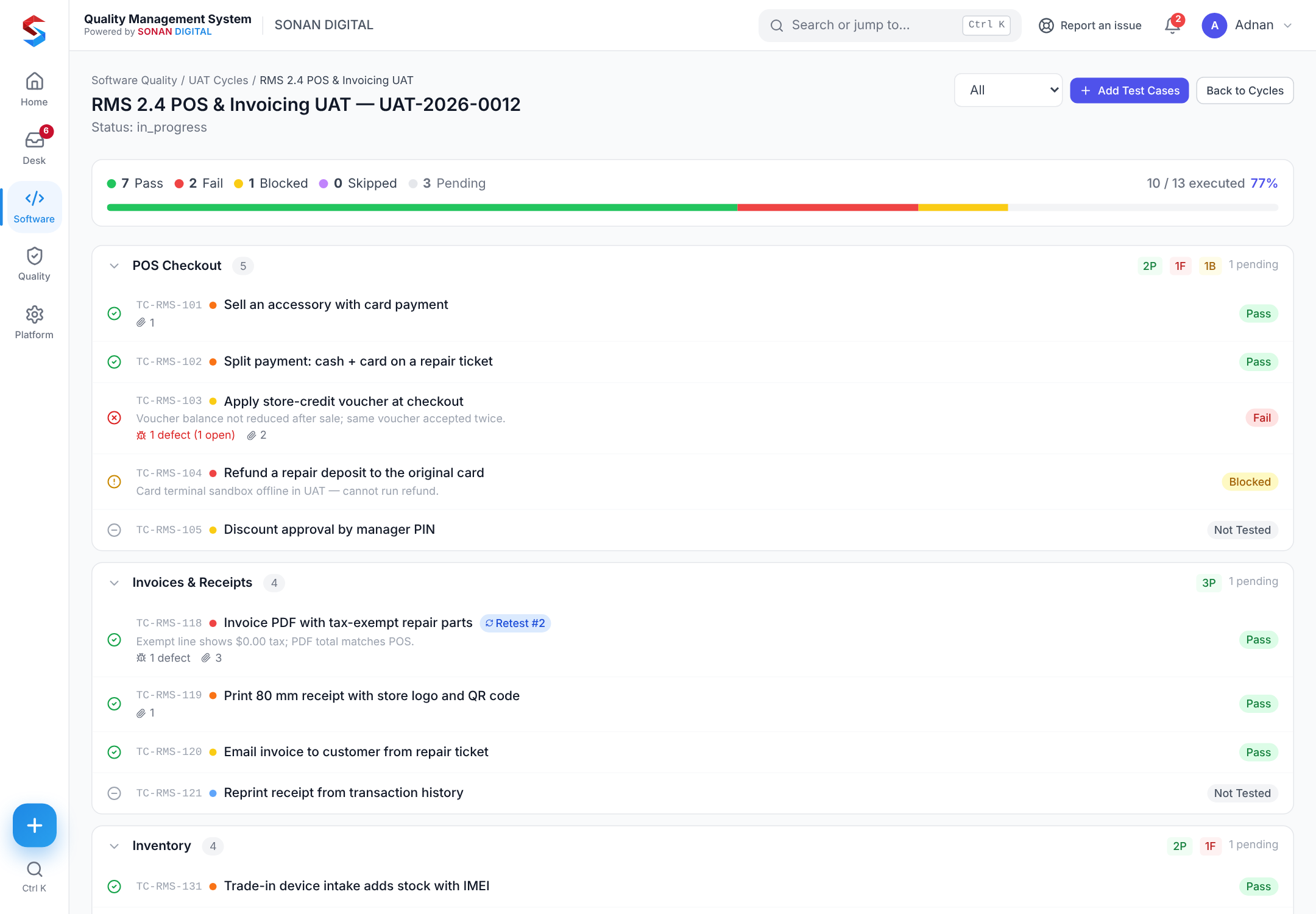
A UAT cycle mid-run
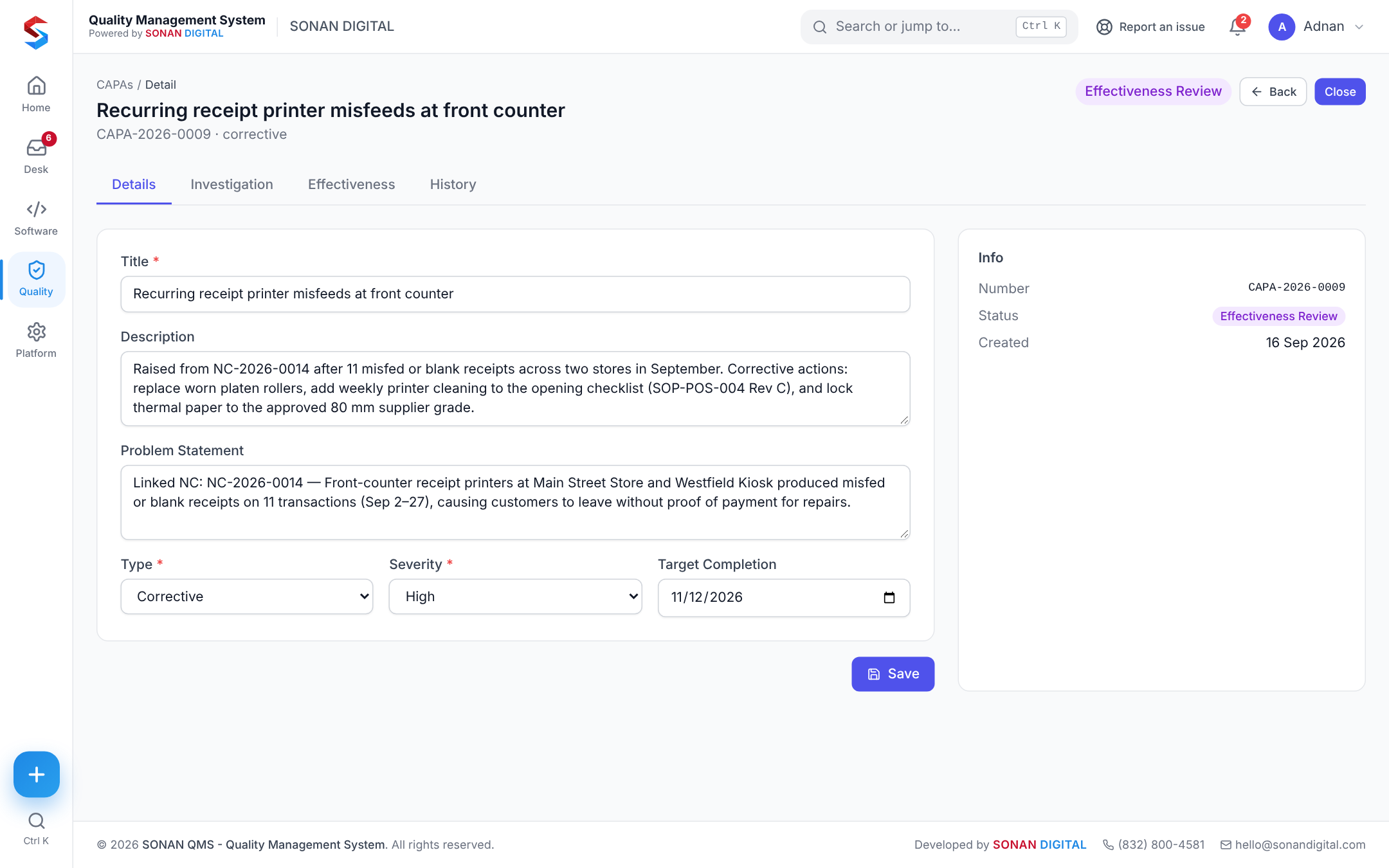
A CAPA in effectiveness review
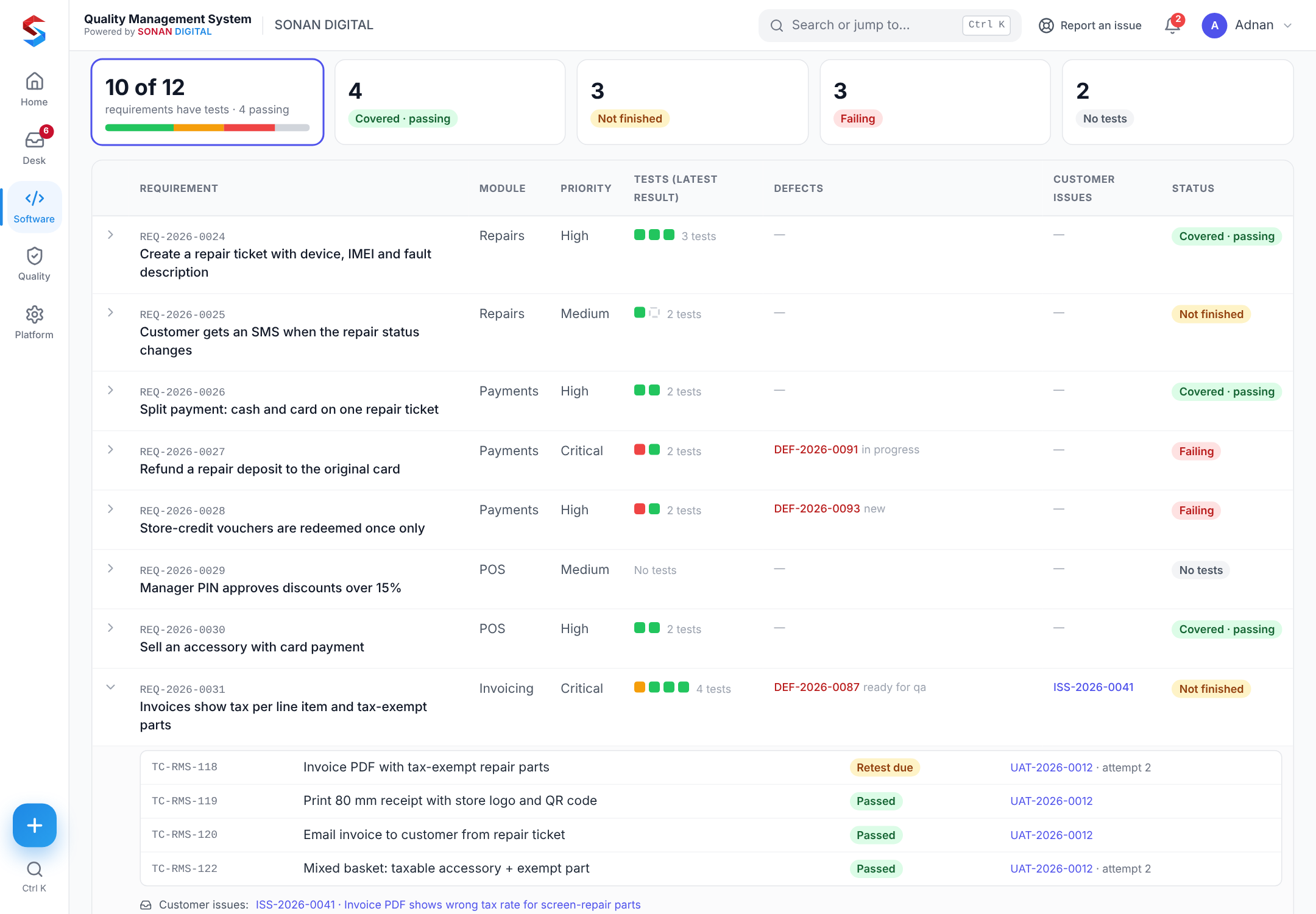
The traceability matrix, one requirement opened
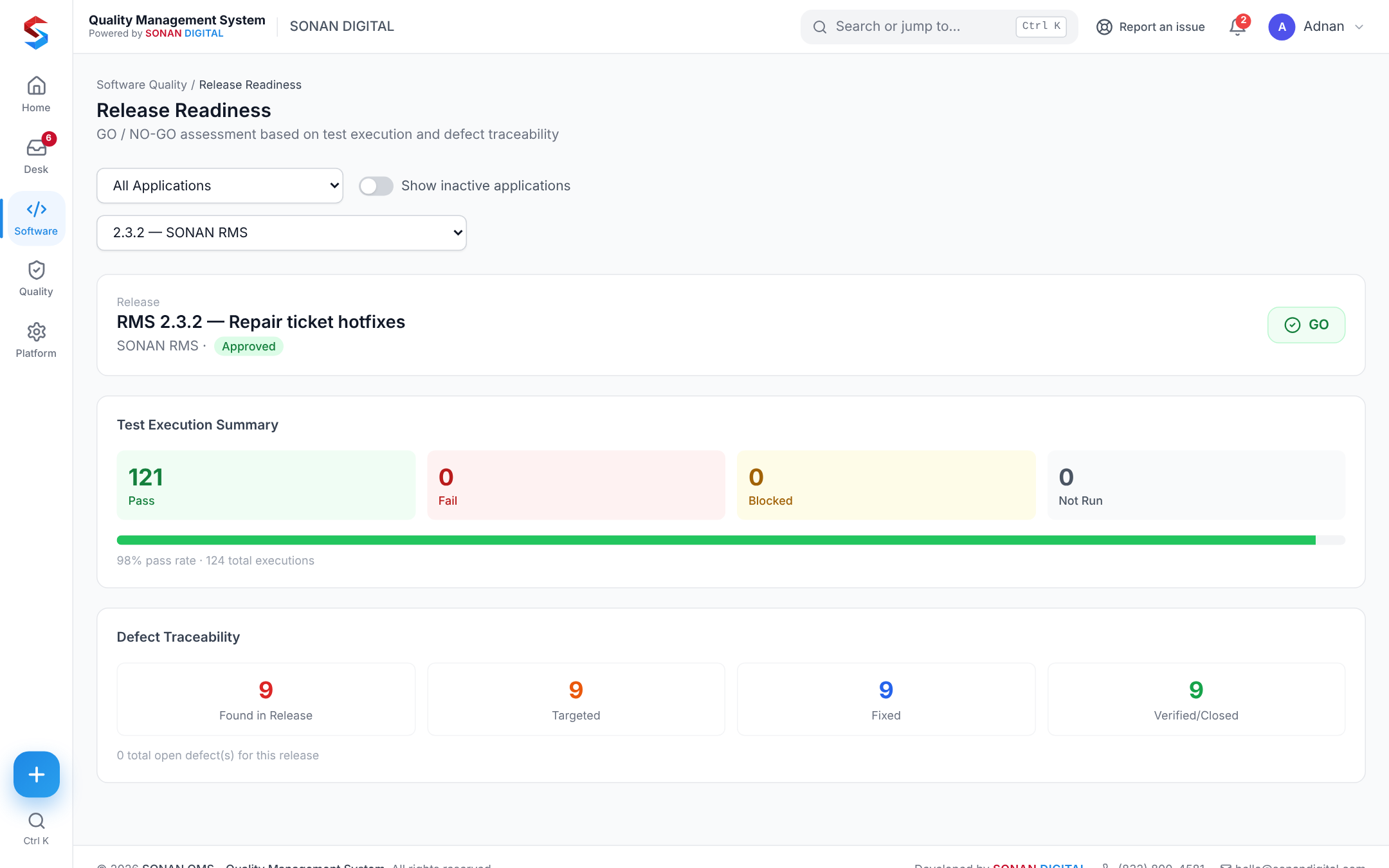
Release readiness scoring a release GO
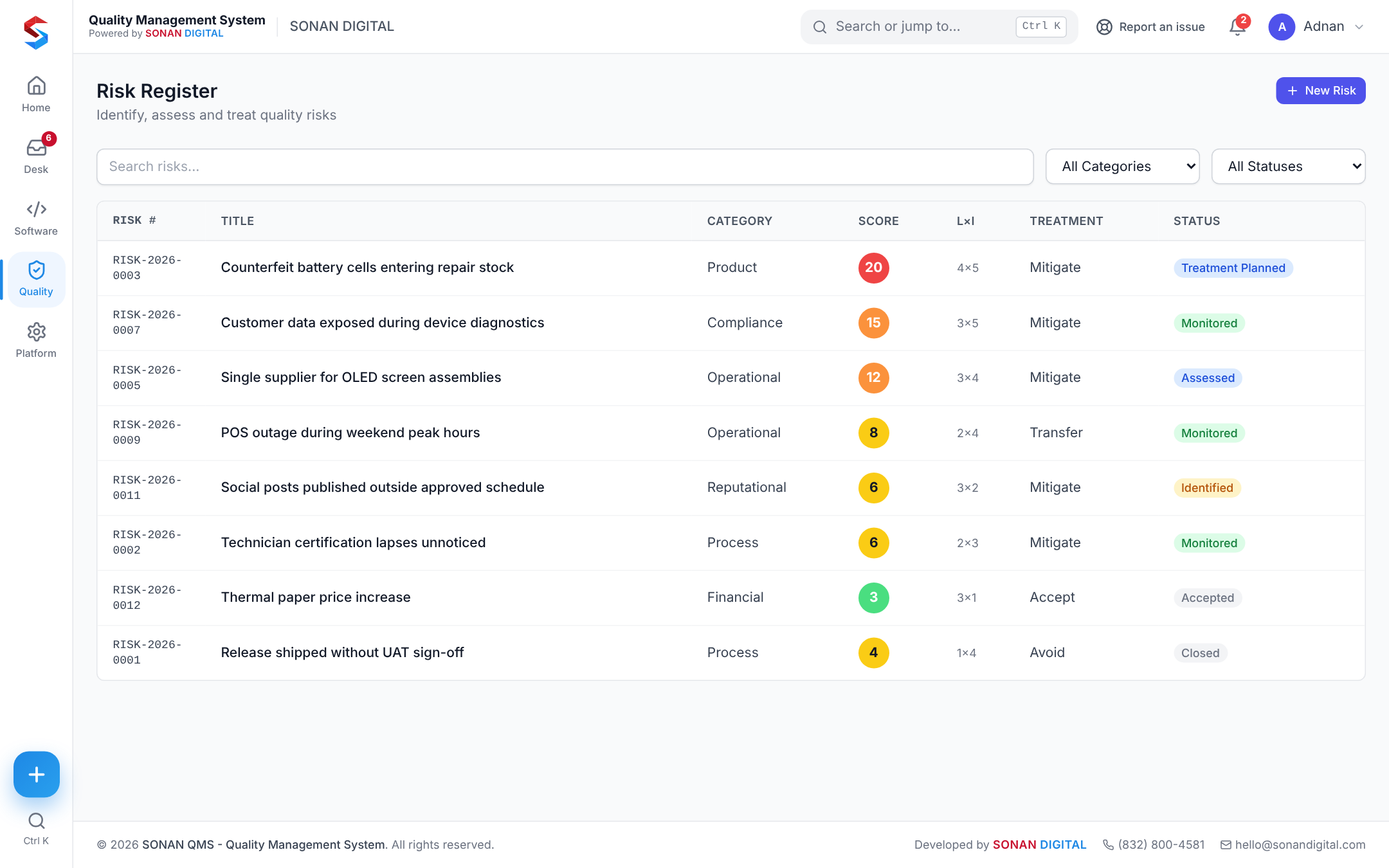
The risk register
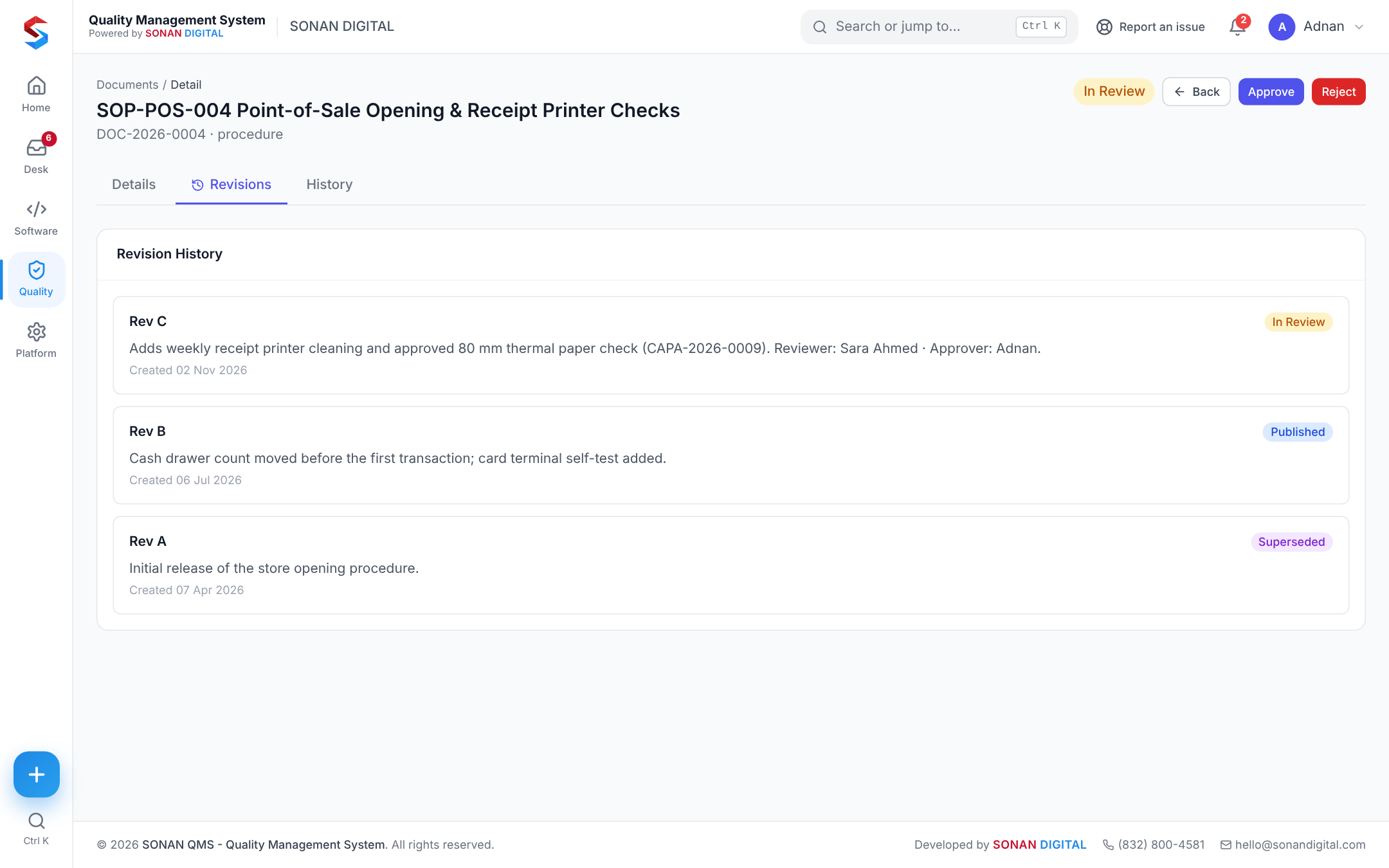
A procedure in review, with its revisions
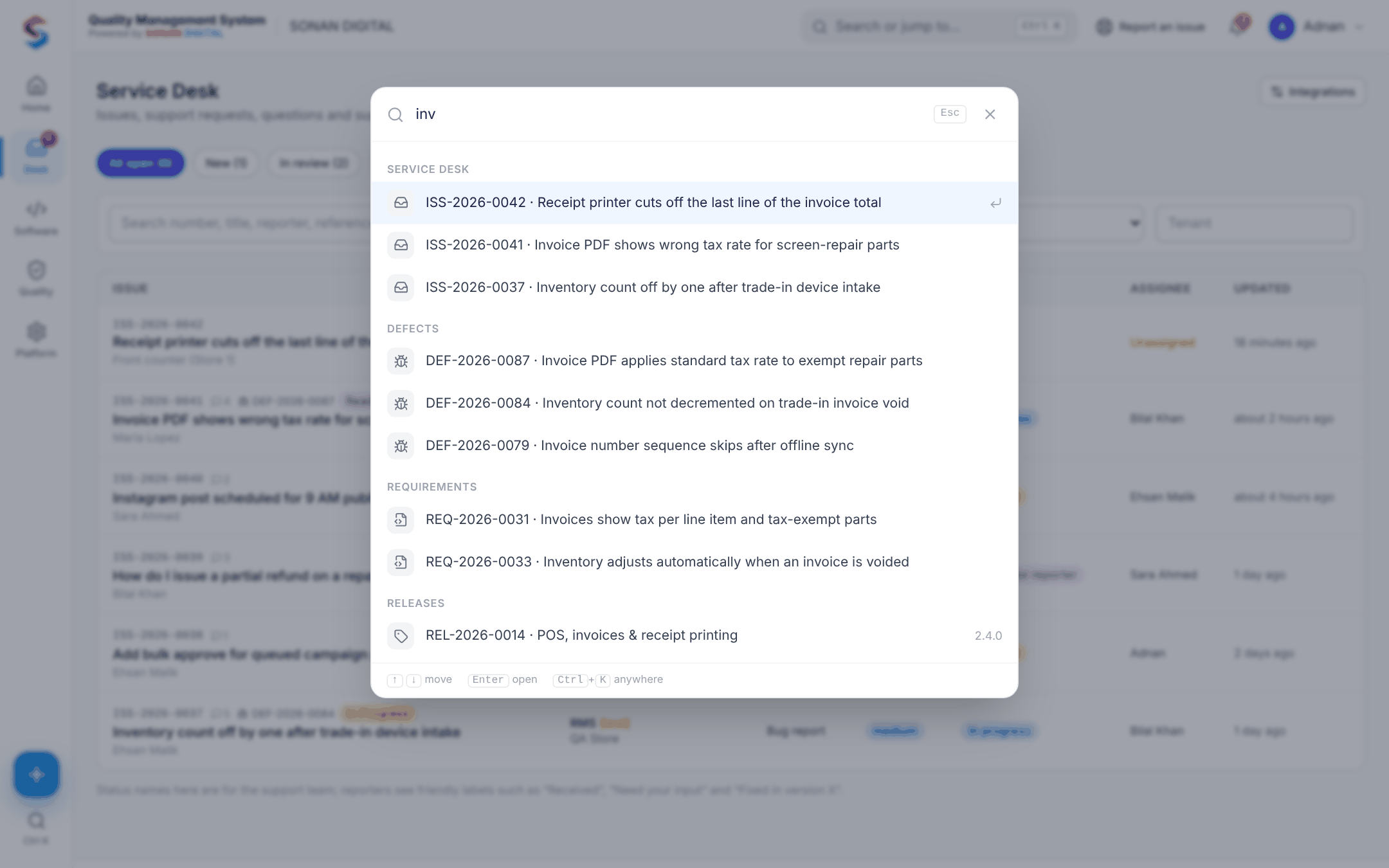
Find anything
Ctrl + K. Anywhere.
Jump to any page, defect, issue, requirement or release from the keyboard — or start a new record without leaving the page you are on.
- Searches pages, defects, issues, requirements, releases and applications
- Quick create: report an issue, log a defect, start a UAT cycle
- Works the same on desktop, tablet and phone
Facts, not promises
What is in the product today.
Made for
Teams who have to show their work.
One system instead of three
Quality, testing and support — together.
One QMS replaces the document-control spreadsheet, a test-management tool and a help desk, and links them. Four plans, from the quality suite alone to the full platform.
Who is QMS for?
Teams that need quality records they can prove — small manufacturers and service businesses working to ISO 9001, and software teams that test, release and support their own products.
Can I try it?
Ask for pricing by e-mail or book a demo. If QMS fits, we set up a workspace for your team.
Does it work on a phone?
Yes. Every screen works on phones and tablets, with a bottom tab bar and quick-create button.
Is QMS only for ISO 9001?
No. The quality modules follow ISO 9001 practice, and the same platform runs software testing, defects and a service desk.
We wanted one place where a customer’s problem, the test that caught it and the fix that shipped are the same record.
Adnan · Founder, SONAN DIGITAL
See QMS on your own process.
Twenty minutes, your use case.