
How it works
From a report to a release.
With nobody chasing anybody.
Here is one problem, end to end — and the quality records that grow around it.
- You01ReportA customer reports a problem inside your app
- You02TriageSupport reviews it in the Service Desk inbox
- QMS03DefectConverted to a defect, linked both ways
- You04FixDeveloper submits the fix for a release
- QMS05RetestQMS creates the retest for the original tester
- QMS06ReleaseReadiness score says GO
- QMS07Tell them“Fixed in version 2.4” goes back to the app
1 · Report
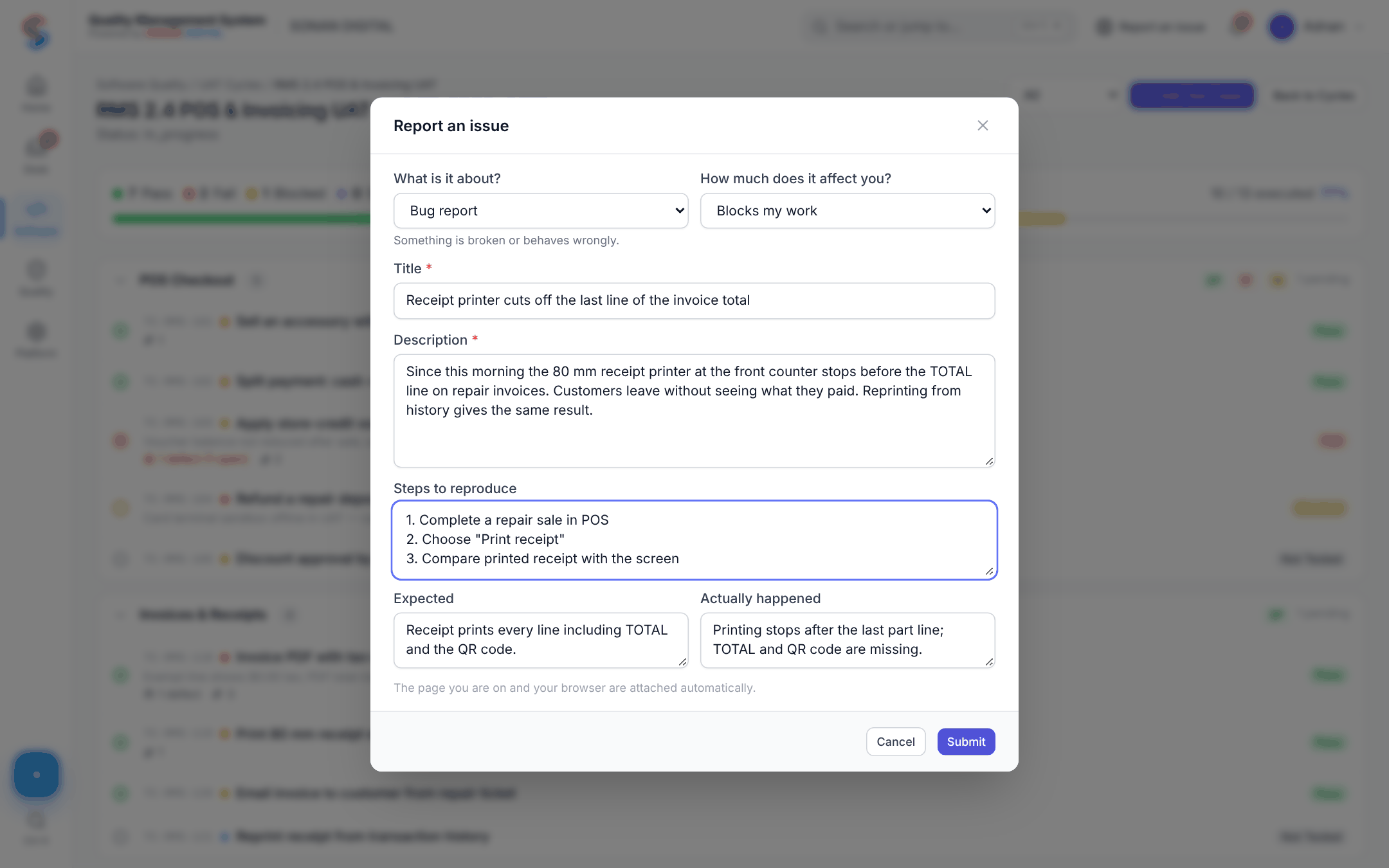
It starts inside your app.
Your customer presses “Report a problem” in your product. The app sends it to the QMS Intake API with the tenant, the reporter, the page they were on and any screenshots.
- Problems, questions and suggestions
- Idempotent — a retry never creates a duplicate
- Monthly limits per tenant and per user
2 · Triage
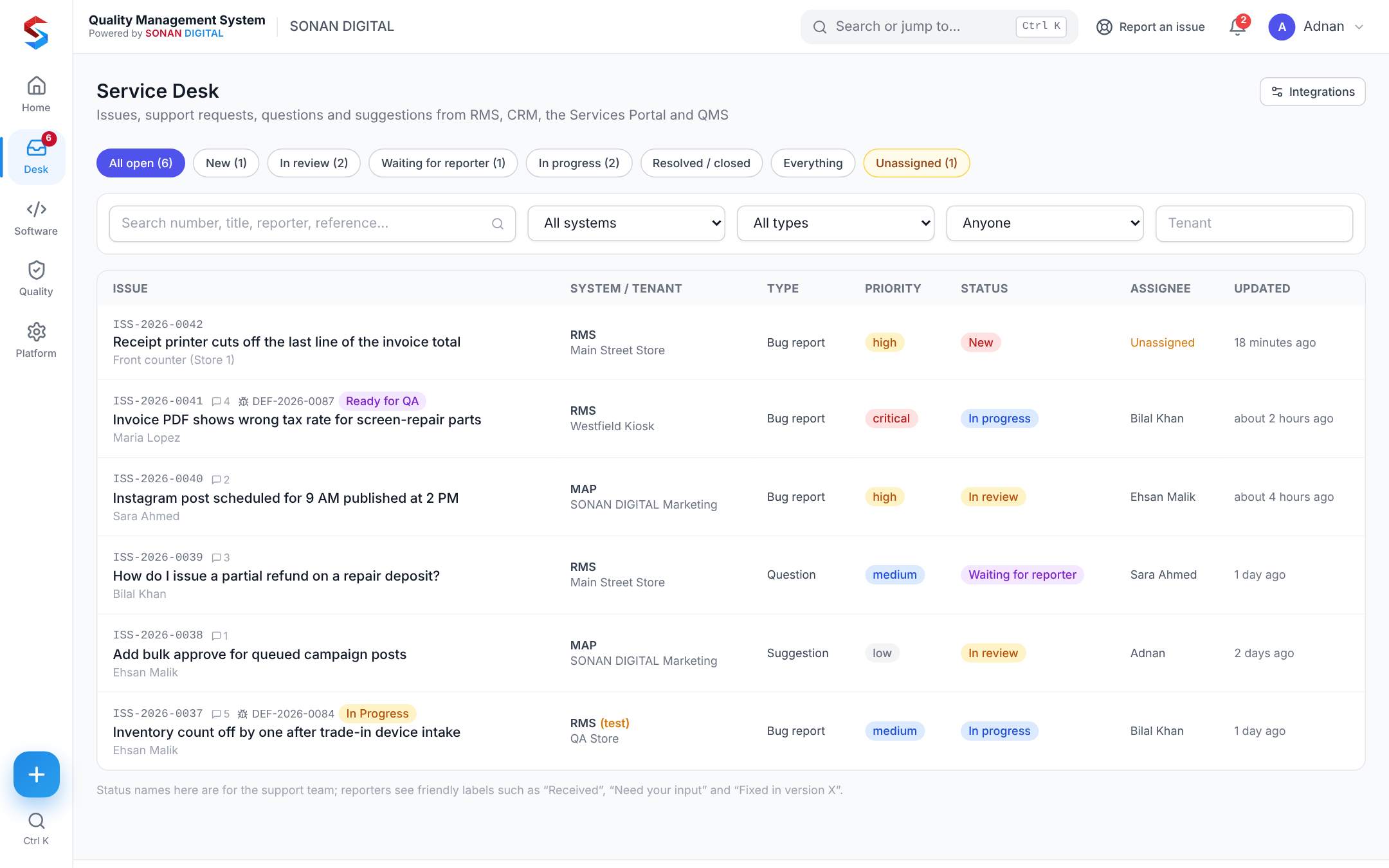
Your support team sorts it.
The issue lands in the Service Desk inbox. The team replies publicly or adds internal notes, sets priority, assigns it, or marks it a duplicate.
- Filter by system, tenant, type, status and application
- Customer-friendly status labels
- Every change on the audit trail
3 · Defect
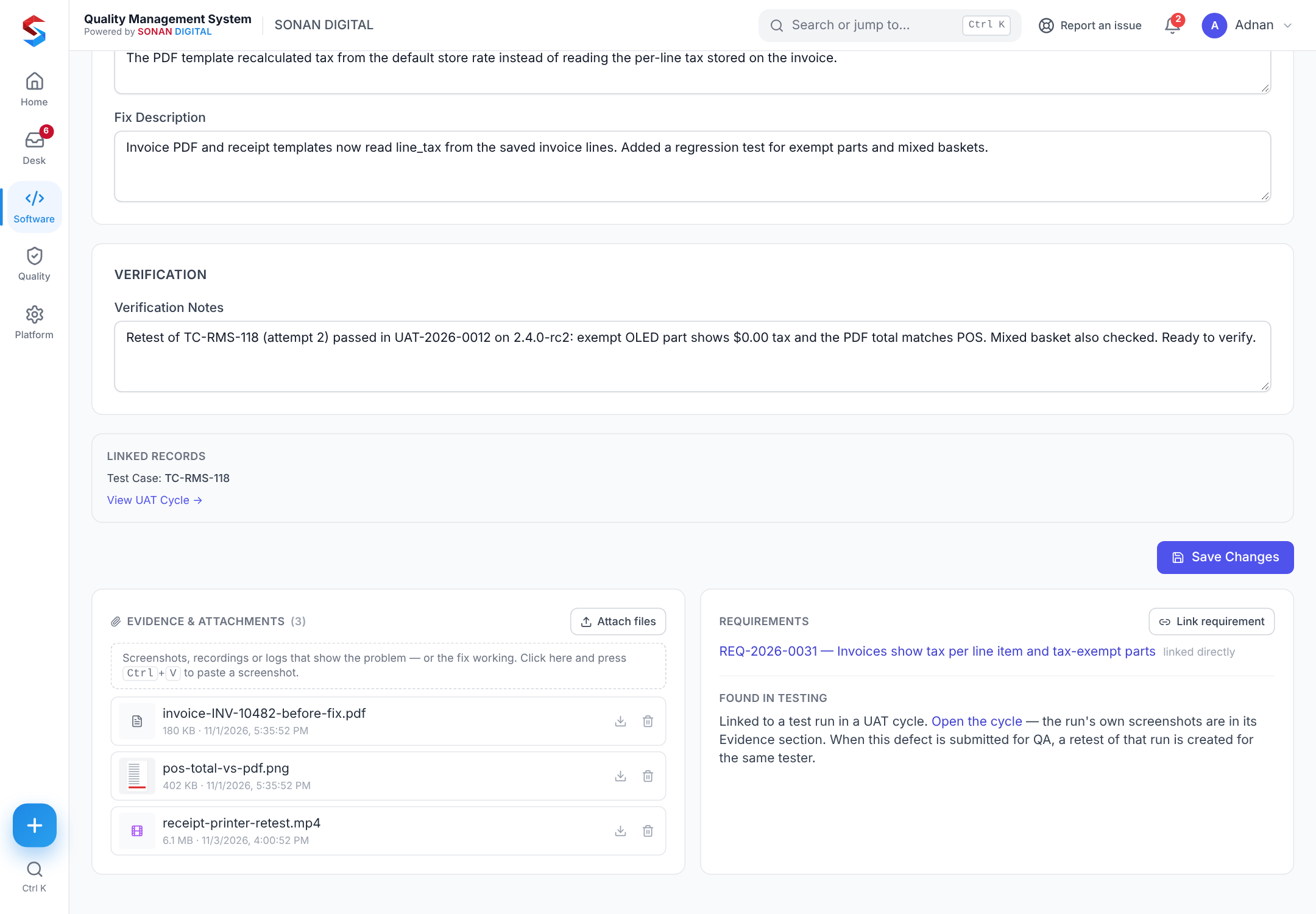
It becomes engineering work.
One click converts the issue into a defect on the right application — or links it to a defect you already have. The two stay linked.
- Pre-filled from the issue
- Assignee and fix release required
- Or turn it into a requirement instead
4 · Fix & retest
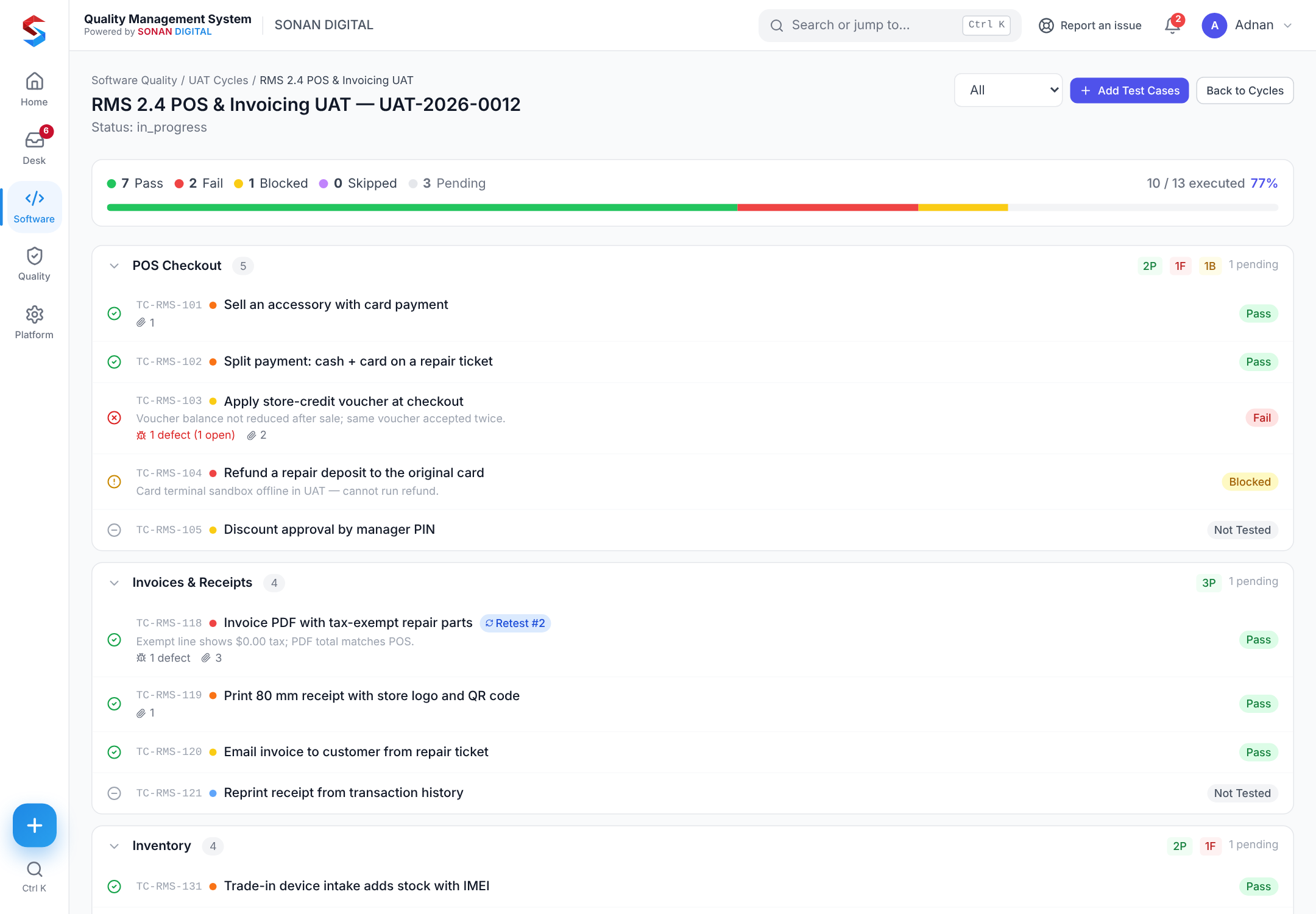
The fix is checked by the person who found it.
When the developer submits the fix, QMS creates a retest for the original tester in the original cycle. Evidence is attached to every attempt.
- Attempt history, superseded runs kept
- Screenshots pasted with Ctrl+V
- Needs-retest queue per person
5 · Release & tell them
Ship it — and close the loop.
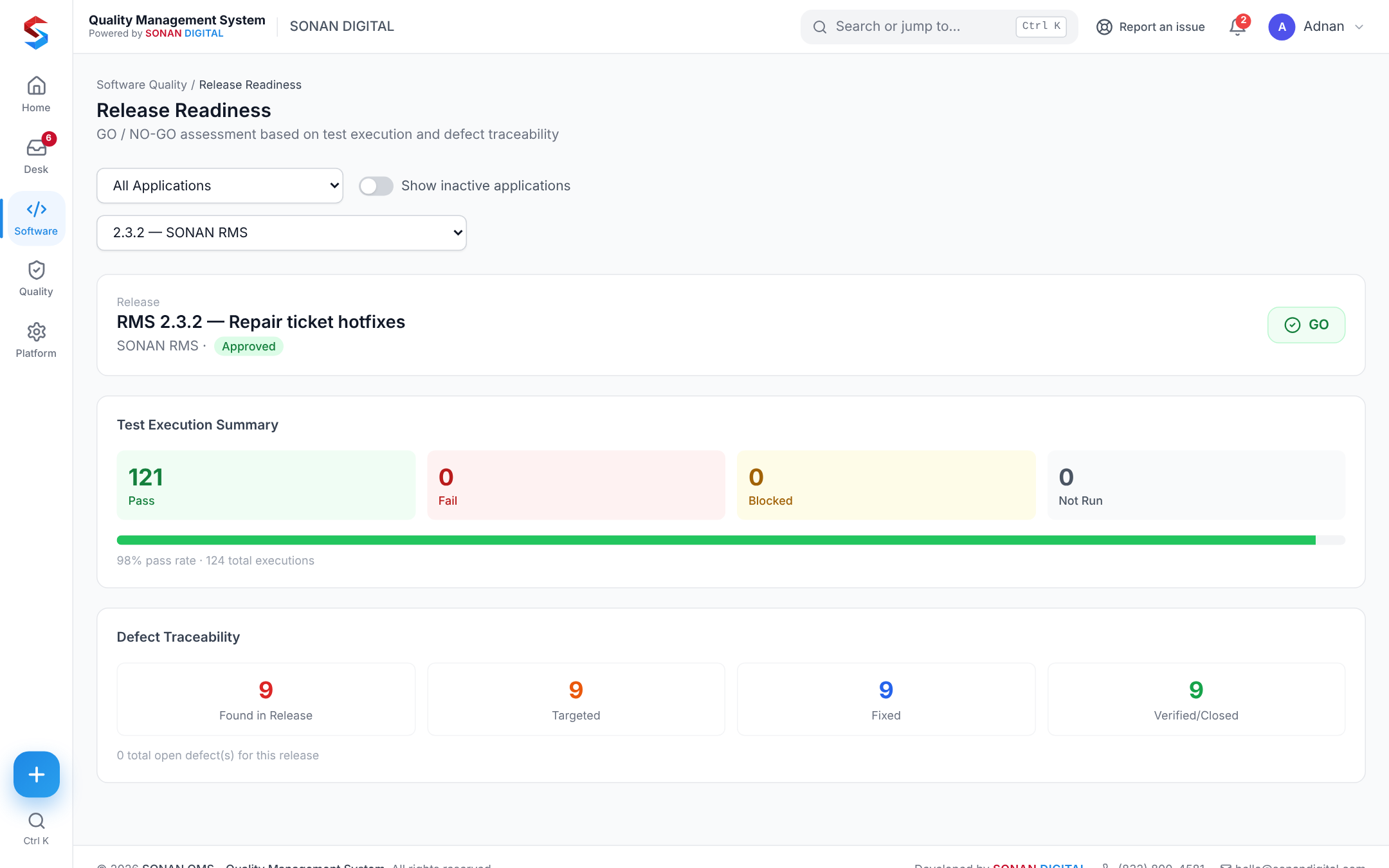
Release readiness scores the release GO or NO-GO. When the defect is verified, the customer’s issue changes to “Fixed in version 2.4” and your app is told by signed webhook.
- Blocking defects, pass rate and retests in one score
- Webhooks retried with back-off
- Reporter sees the update in your app
Around it
The quality system keeps learning.
A recurring problem becomes a non-conformance, then a CAPA with an effectiveness review. Procedures are updated under document control and people acknowledge them.
See QMS on your own process.
Twenty minutes, your use case.